



Get more out of your Chamilo 1.11.8 with these 10 new features
Chamilo 1.11.8 is a minor version released under the name of Sayaxché , a small town in Petén, Guatemala. With a tropical climate and an area of 3.904 sq. km, to visit its ancestral ruins requires a mix of car, boat (through river "La Pasión") and walk. We took the analogy to represent the long way to go now, in terms of data structure, development and graphical design from this version to the next major version, Chamilo 2.0.
10 useful new little features
Course information page
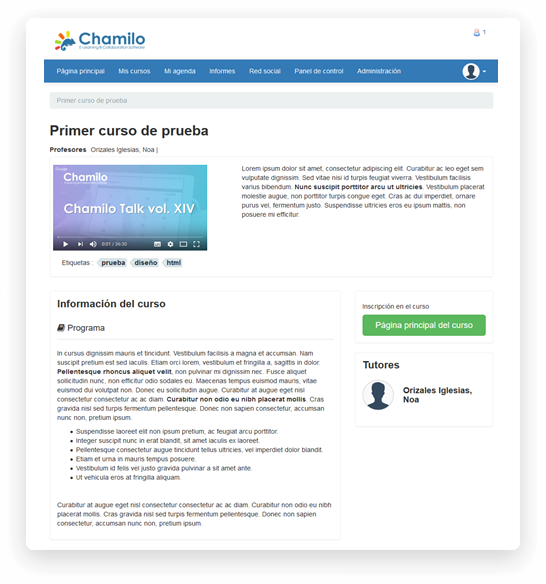
If you use the courses catalogue to promote your courses, this new feature will allow you to present the information about a course on a separate page (rather than a shorten popup/modal). This will allow search engines to scan through each course's page and better position your LMS on the web. You can also add a video in the URL box available for that. Edit the course details in Administration >> Courses list >> Edit course).
Custom certificates
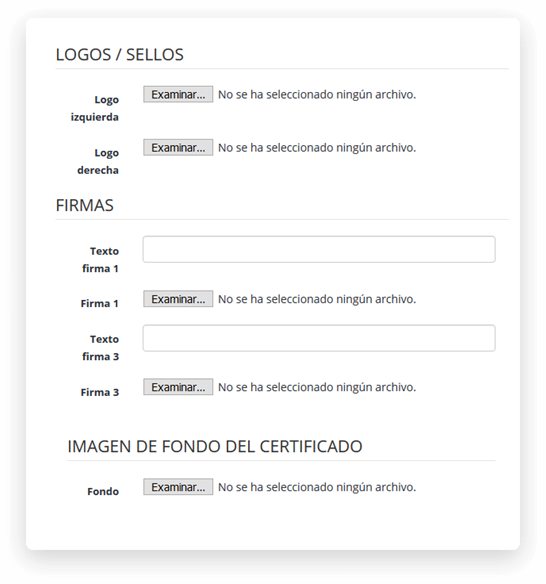
This feature requires you to enable the Custom Certificates plugin in the administration section. You will then be able to choose for each course whether you want to use this plugin or the classical certificates editor of Chamilo. The plugin allows you to generate front/back certificates, add signatures, images, personalized tags and all you need without having to touch code. Your students will be able to export them in PDF.
Hiding courses from catalogue
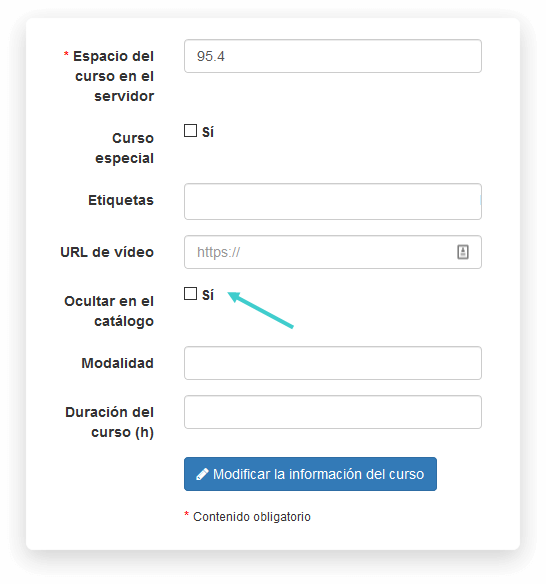
If you use private/internal courses on your LMS but you also want to offer courses to the general public, you might have wondered how to show only those "public" courses in the catalogue without disabling the private ones. Wonder no more! With this new feature, just edit the course settings from the administration's courses list and check the "Hide from catalogue" checkbox to hide the corresponding course.
Questions with level of certainty
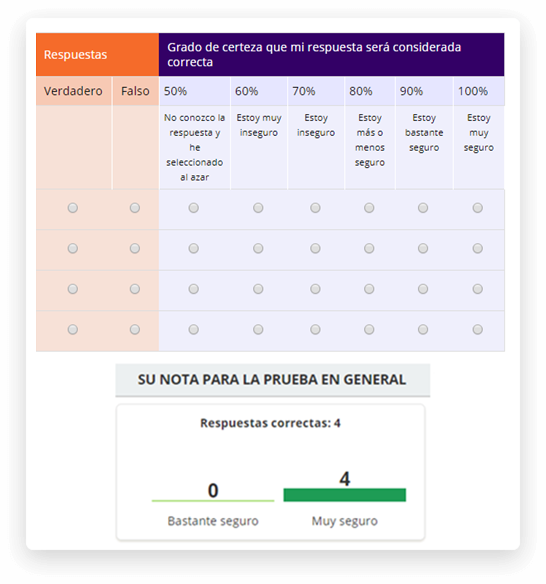
If you work in an academical environment, you'll probably love this feature. This is a new type of question based on the multiple true/false question, that will also ask the student to give a degree of certainty to his answer. This will later give opportunity to the student to reflect on his answer and how sure he/she was that it was the correct answer, at the time, which will greatly increase the possibility to improve his/her learning.
Random usernames
Until now, importing users without a username through CSV in your LMS would automatically generate a username based on the first name, last name and a sequence number. This was relatively foreseeable and could lead to security issues. Now the username is generated randomly for each user, independent of his/her name. If you don't like that, just give a username to the user in the CSV file.
Drag & Drop questions numbering
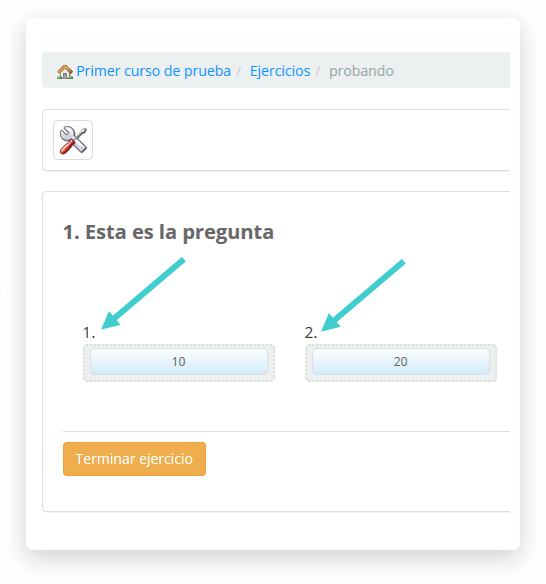
We have added a sequence number above the boxes in drag & drop questions, so that understanding and answering the question would be an easier task for the student. This is now the behaviour by default.
Pending surveys
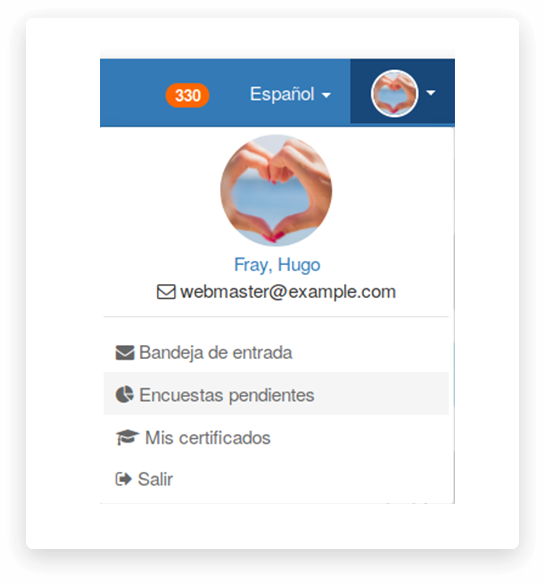
When students follow a high number of courses during the year, they might receive numerous e-mails and reminders of all kind. Surveys, however, are an important tool for remote learning quality assurance, so you might want to remind them from time to time that they should answer those. Their list of pending surveys is now accessible through a specific page they can reach through their personal drop-down menu on the top-right size. Enable this feature in the configuration.php file.
Unlocking learnpath pre-requisites
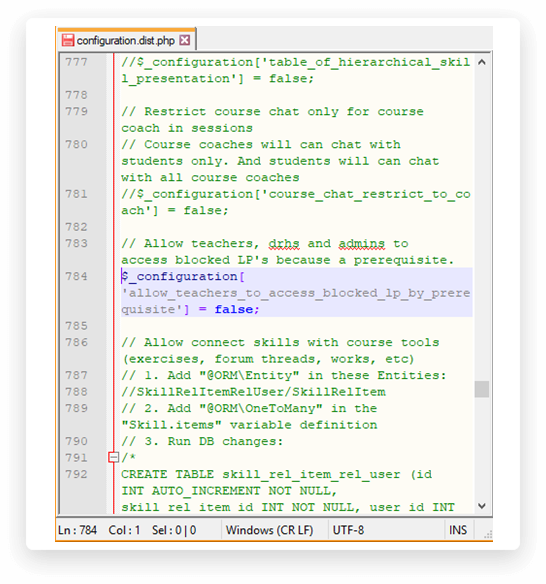
You've been able to set pre-requisites between learning paths and items of learning paths for a long time now, in Chamilo. Configuring this would also affect the teacher, however, when testing the normal (non-edition) view. This new feature allows teachers to skip pre-requisites completely so teachers can move around as if there was no pre-requisites.
360º video
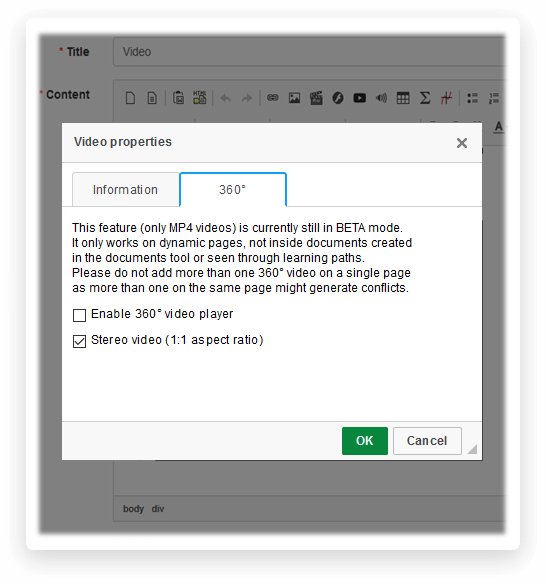
If you have immersive 360° videos, you can now integrate them into Chamilo and our player will play them in the students' browsers just fine, no additional appliance needed. When uploading a video in a document through the video icon, just open the 360° tab and check the corresponding boxes. There are 2 types of 360° videos, so if the first option doesn't work, just click the video icon again and change the option. You can even use some of them with 3D lenses.
GDPR integration features
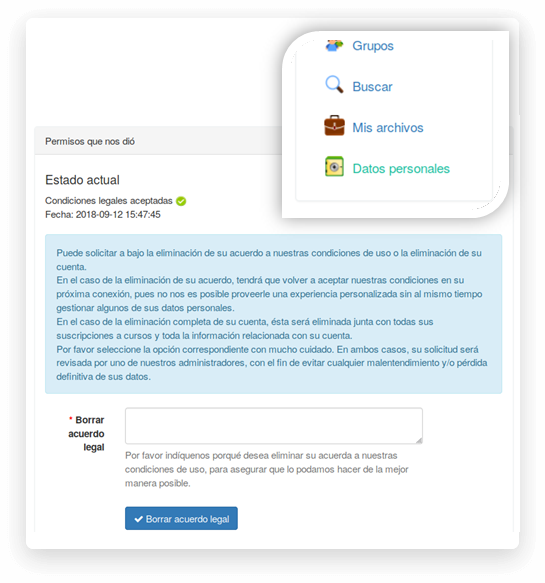
With the General Data Protection Rules entering into law in May 2018, we wanted to make our Chamilo administrators' life a bit easier. We added a number of GDPR features, including the possibilities for students to check and export their personal data, to ask for their data to be removed or anonymized, and to retract their authorization to treat their data. Enable this features set in configuration.php (enable_gdpr).