





Enjoy your LMS to the max with these 10 new features of Chamilo 1.11.14
Chamilo 1.11.14 is a minor version launched under nickname Nowa Sól, a very small town of Poland which had a key role in the provisioning of sea salt in the Holy Roman Empire.
After a busy series of centuries, Nowa Sól is now a quiet and nice little town to visit, just as Chamilo 1.11.14 is a nice and quiet step before 2.0.
10 new features of Chamilo LMS
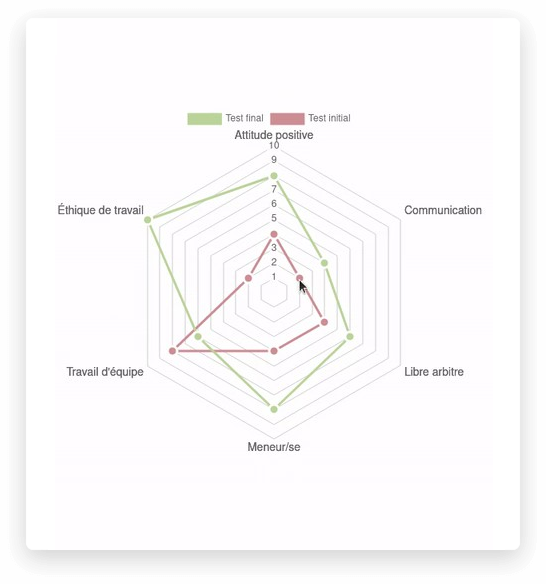
Positioning test
With this feature, you can test the level of your students before starting the course and after concluding it. Once you have configured an initial and a final test, you can see the results and compare them on a radar chart.
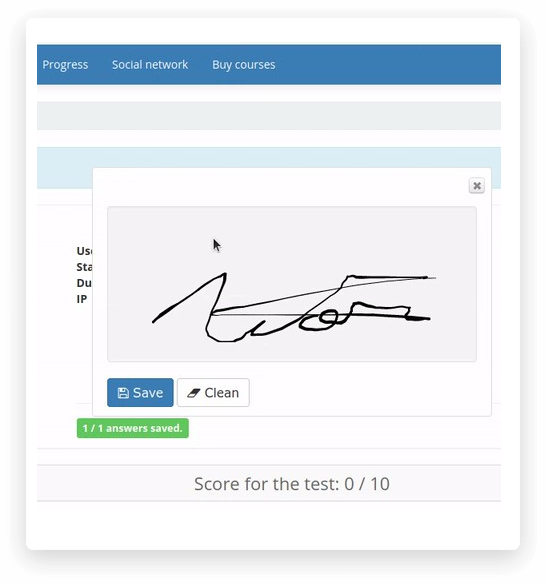
Post-test signature
This new Chamilo version includes a feature (through a plugin) called "Tests with signature" which allows your learners to sign an online exam once it's completed. The goal of this feature is to let learners validate officially the exams they just passed, usually for security (validation this is the right user) or regulatory purposes (the learner confirms (s)he's taken the test).
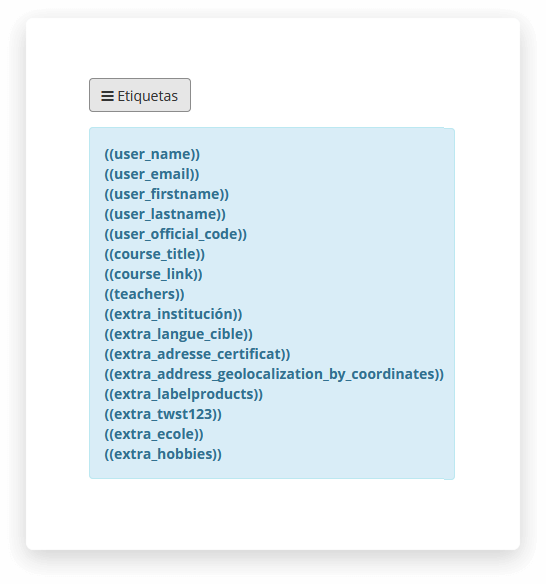
Dynamic fields in course intro
You can now personalize the course introduction in any course by using dynamic fields that will be replaced by the user's firstname, lastname, etc
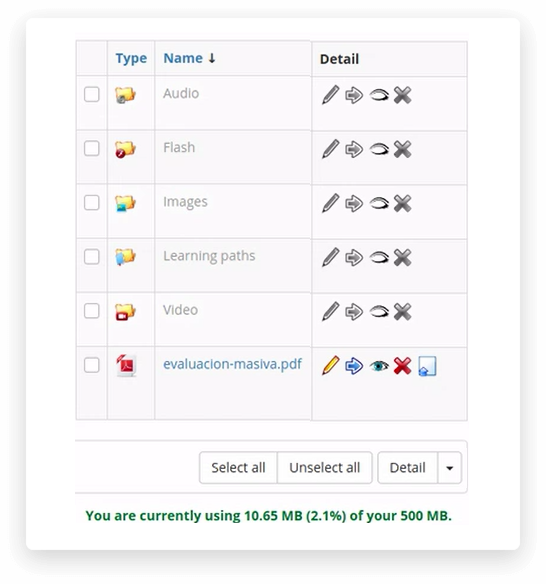
Replace documents
You can now change a document "in-place", allowing you to correct content without altering users' past progress in the course
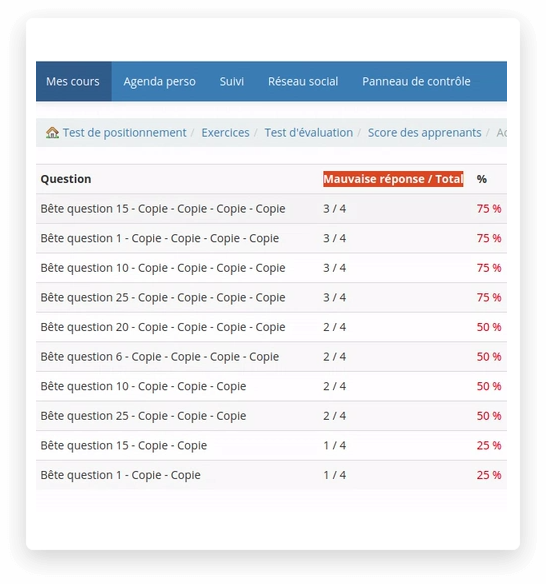
Top 10 wrong questions
Shows a report of the questions where most learners gave the wrong answer. These allow you to either detect an erroneous question or an item of the course that has to be improved.

Deny access instantly
Enable a stricter validation of disabled users. Without this option, disabled users are only disabled on their next connection. With this option enabled, as soon as users are disabled, their access to any new page is blocked (configuration setting 'security_block_inactive_users_immediately')
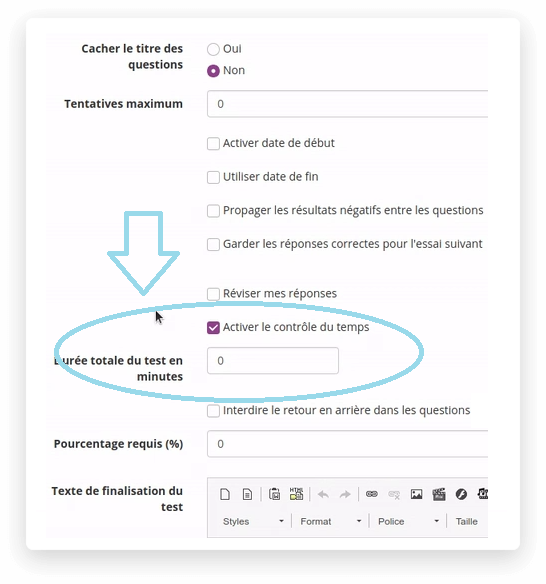
Time per question in tests
Enables the use of time per question limits in the tests tool. This is particularly useful for tests in the aviation or driving sectors, where you want to control precisely how much time any user can spend on one specific question at a time (enabling this feature requires DB changes and enabling configuration setting 'allow_time_per_question')

Duplicate content from sessions
This new action in the sessions list allows you to copy a session with its course-session content into another session. This considerably speeds up the session duplication process if content created in the session matters (requires enabling configuration setting 'duplicate_specific_session_content_on_session_copy')
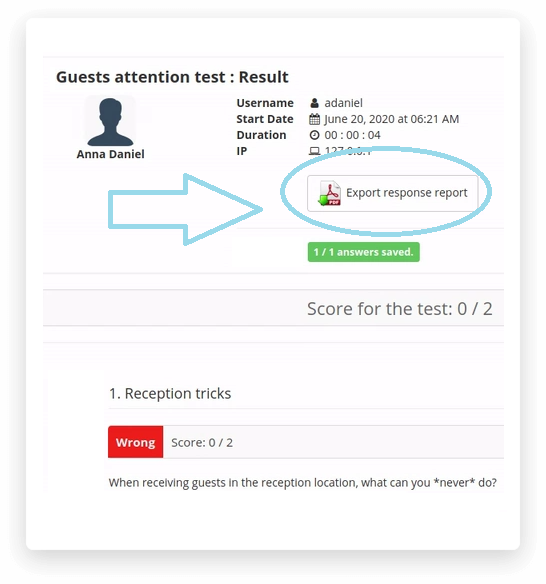
Test results to PDF
On the test results page, let students download a PDF recount of their exam. This add to accountability for the platform holders and gives additional confidence to users that their answers were properly saved (requires enabling the configuration setting 'quiz_results_answers_report')
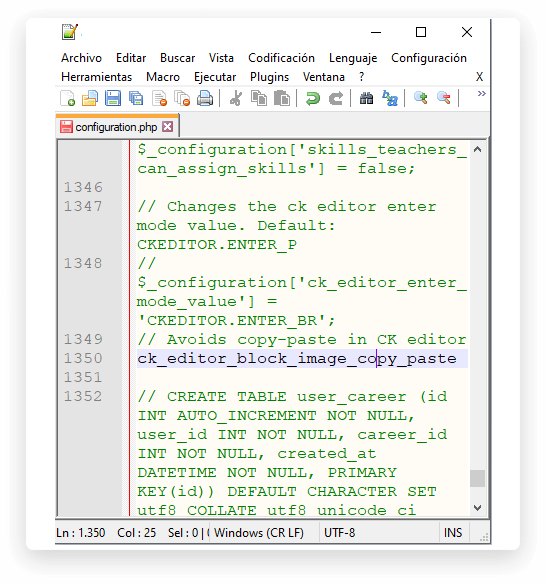
Block image copy-paste in WYSIWYG
Prevent users from copy-pasting images in CKEditor (using base64 format by default), generating huge space allocations in the database, which can then complicates the copy of courses. Users should upload images, then re-use them, for maximal efficiency (configuration setting 'ck_editor_block_image_copy_paste')